Essential Mod logoEssential Mod Download
Minecraft Java Edition · Fabric · Forge · NeoForge

Essential Mod - Makes Minecraft Better Together

Essential Mod gathers the features Minecraft players reach for most often into one polished, client-side package - peer-to-peer world hosting, a friends list with messaging, an in-game wardrobe, a screenshot manager and a secure account switcher.

Latest support1.21.11 & 26.1.2
Mod loadersFabric, Forge, NeoForge
PriceFree to use
Runs onClient side only
What is Essential Mod

One mod that makes Minecraft feel connected.

Essential Mod is a quality-of-life and social modification for Minecraft Java Edition, created by ModCore Inc. and Spark Universe GmbH. Rather than altering how the game is played, it improves everything around play: how you invite people, how you keep in touch with them, how your character looks and how you manage your screenshots and accounts.

Its signature feature is free world hosting. Using peer-to-peer networking and the power of your own computer, Essential lets you open a single-player world to friends in a few moments, without renting a server, configuring a router or sharing an IP address.

Because it runs entirely on the client, Essential Mod sits comfortably alongside performance mods, shader loaders and most content packs. It supports the most popular versions of the game, from long-standing releases such as 1.8.9 and 1.12.2 through to 1.21.11 and the 26.1 line.

Developer
ModCore & Spark Universe
Edition
Minecraft Java
Installer
Windows 10/11, macOS 10.15+
Account
Genuine licence required
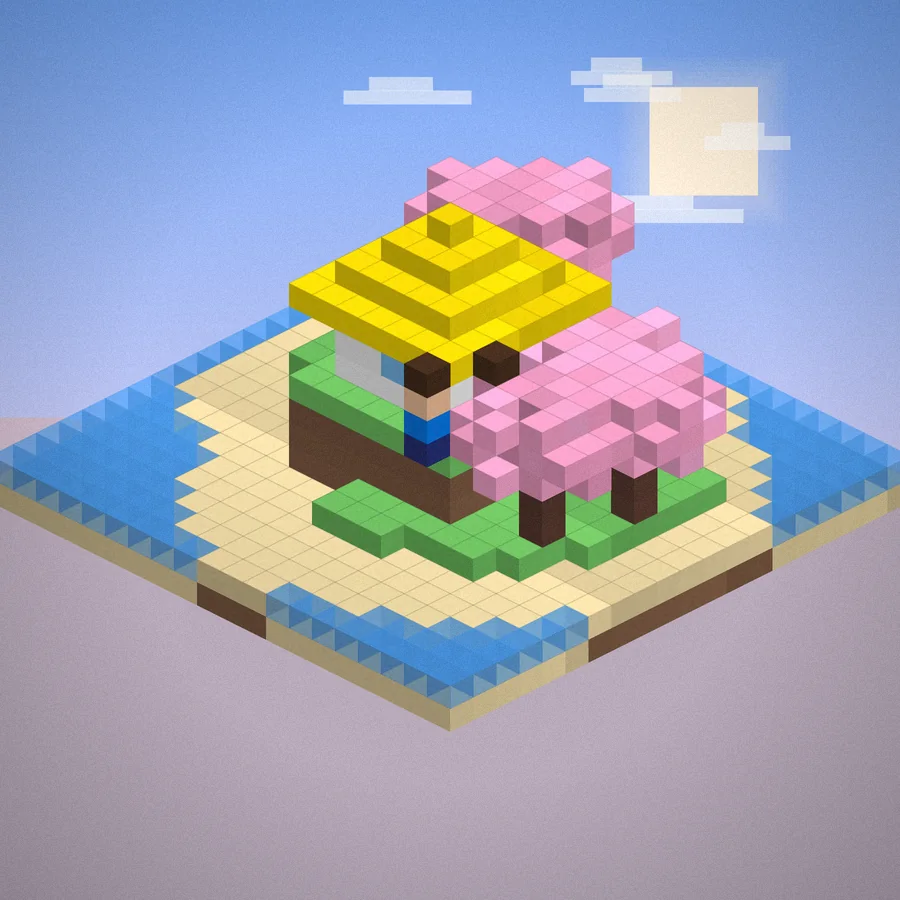
Voxel illustration of friends gathered outside a house in a shared Essential Mod world
Features

Everything you would otherwise need five mods for.

Each feature can be enabled or disabled from Essential Settings, so you keep only what serves the way you play.

Free peer-to-peer world hosting

Open any single-player world to friends with an invitation. Essential handles the networking, so there is no port forwarding, no monthly server fee and no IP address to pass around. Your own computer powers the session, and you remain in full control of who may join.

Friends & groups

Add friends, see when they are online and which world or server they are on, and invite them in a single step.

Cross-server messaging

Send direct messages and group chats that follow you across worlds and servers, complete with screenshot sharing.

Wardrobe & skins

Save outfits, manage several skins and apply cosmetics without leaving the game. Up to 128 outfits can be stored.

Expressive emotes

Wave, dance or celebrate through an emote wheel that other Essential users can see in real time.

Screenshot manager

Browse, favourite, edit and share screenshots in a dedicated in-game gallery, and copy an image to your clipboard the moment it is taken.

Account manager

Sign in with several Microsoft accounts and switch between them from the title screen, without restarting Minecraft or reopening the launcher.

How it works

From launch to a shared world in four stages.

Essential operates as a lightweight layer on top of your mod loader, connecting your game to the Essential Network for social features and hosting.

1

Load with the game

Fabric, Forge or NeoForge loads Essential alongside your other mods. A small loader keeps its files current.

2

Verify your account

Essential confirms your licence through Mojang's authentication, then connects you to the Essential Network.

3

Build your circle

Add friends, form groups and personalise your character from the social menu and wardrobe.

4

Host and invite

Open a world, choose to host it, and invite friends. Peer-to-peer networking connects everyone directly.

Installation

Install Essential Mod the way that suits you.

Choose the guided installer for the quickest set-up, a manual installation for full control, or a third-party launcher if you already manage instances.

  1. Close Minecraft and the launcher

    Quitting both prevents file locks and ensures the installer can read your existing installations.

  2. Run the Essential Installer

    Open the installer on Windows 10/11 or macOS 10.15 and above. It detects the official Minecraft Launcher automatically.

  3. Select a version and loader

    Pick your Minecraft version, such as 1.21.11 or 26.1.2, and choose Fabric or Forge. You may add Essential to an existing installation or create a new one.

  4. Complete the installation

    The installer sets up the mod loader if required and places a small Essential container in your mods folder, which fetches the latest build on first launch.

  5. Launch and sign in

    Open the Minecraft Launcher, select the new Essential profile and start the game. Accept the terms when prompted and Essential is ready.

  1. Install a mod loader

    Download Fabric Loader, Forge or NeoForge for your exact Minecraft version and run its installer once.

  2. Download the matching Essential file

    Obtain the .jar whose name lists both your loader and your game version, for example a Fabric build for 26.1.2.

  3. Open your mods folder

    On Windows, enter %appdata%\.minecraft\mods in the Run dialogue. On macOS, use ~/Library/Application Support/minecraft/mods.

  4. Move the file into place

    Place the Essential .jar inside the mods folder. Do not extract it; Minecraft reads the archive directly.

  5. Launch the loader profile

    Select the Fabric, Forge or NeoForge profile in the launcher and start the game. The Essential button appears on the title screen.

  1. Create or open an instance

    In the CurseForge app, Prism Launcher or a similar manager, create an instance for your chosen version and loader.

  2. Search for Essential

    Use the instance's mod browser to find Essential Mod by ModCore and select the version the launcher marks as compatible.

  3. Install and confirm dependencies

    Allow the launcher to add any dependency it lists. It will reject incompatible loader combinations for you.

  4. Play the instance

    Start the instance, sign in with your Microsoft account and Essential will initialise on the title screen.

Use cases

Who gains the most from Essential Mod?

01

Friends without a server

Small groups who want a shared survival world can host it from one computer whenever that player is online, saving the expense of a rented server.

02

Content creators

The screenshot manager, outfits and emotes make it easier to capture thumbnails, stage scenes and present a consistent on-screen identity.

03

Players with several accounts

Testers, builders and families sharing a computer can switch between Microsoft accounts from the title screen in seconds.

04

Server regulars

Messaging that persists across servers means you can coordinate with friends on one network while they play on another.

05

Modpack players

Because Essential is client-side and widely compatible, it adds social features to a modded instance without changing gameplay balance.

Download

Download Essential Mod for your version.

Download the original JAR directly from the Essential Mod developer. The main button is for Minecraft 1.21.11 with Fabric; choose the matching version and loader before installing.

Read the installation steps
Essential Modby ModCore Inc. & Spark Universe
GameMinecraft Java Edition
Versions1.8.9 – 1.21.11, 26.1.x
LoadersFabric, Forge, NeoForge
File sizeApprox. 50 MB (pinned)
EnvironmentClient side
LicenceFree, all rights reserved
Download for Fabric 1.21.11
Compatibility & comparison

Where Essential Mod fits, and how it compares.

Essential supports the versions most players actually use. The comparison below shows how its hosting differs from the other common ways of playing together.

Version and loader support

MinecraftFabricForge / NeoForge
26.1 – 26.1.2SupportedCheck file list
1.21 – 1.21.11SupportedSupported
1.20.xSupportedSupported
1.17.1 – 1.19.xSupportedSupported
1.16.5SupportedSupported
1.12.2 / 1.8.9Not availableForge only

Essential hosting vs alternatives

OptionCostSet-upMods
Essential ModFreeMinutesYes
Open to LANFreeSame networkYes
Minecraft RealmsMonthlyEasyNo
Rented serverMonthlyModerateYes
Self-hosted serverFreePort forwardingYes
Troubleshooting

Common problems, clearly resolved.

Most difficulties with Essential Mod come down to a version mismatch, an expired login or a network setting. Start with the issue that matches what you see.

Network“Unable to connect to the Essential Network”

First check status.essential.gg for an active incident; outages at Mojang's authentication service can affect Essential too. If all services are operational, close the game, sign out and back in to the launcher, update Essential and try again. Persistent failures may be resolved with the Java argument -Djava.net.preferIPv4Stack=true.

LaunchThe game crashes on start-up

Confirm that the Essential file matches both your Minecraft version and your loader. A Fabric file will not run on Forge, and a 1.21.11 build will not run on 26.1.2. Also make sure only one copy of Essential is in the mods folder.

MenuThe Essential button is missing

Open Options, then Essential Settings, and ensure Essential is switched on under General. Menu customisation mods such as FancyMenu may also relocate the button; recent Essential releases include compatibility fixes for them.

HostingFriends cannot join my world

Each guest needs Essential on the identical Minecraft version and a working connection to the Essential Network. Ask them to accept your friend request first, then resend the invitation from the hosting menu.

Installer“Issue setting up installer”

Run the installer again with the launcher fully closed. If the error returns, switch to the manual method: install your loader, then copy the Essential .jar into the mods folder.

PerformanceFrame rate dropped after installing

Hosting uses your own hardware, so allocate adequate memory (around 4 GB is a sensible starting point) and pair Essential with a performance mod such as Sodium on Fabric.

System requirements

What your computer needs.

Essential is light in normal play. Requirements rise mainly when you host a world, because your machine then serves every connected player.

Minimum

For playing and chatting with friends

Operating system
Windows 10, macOS 10.15, modern Linux
Memory allocated
3 GB
Processor
Dual-core, 2.5 GHz
Graphics
OpenGL 4.4 capable
Storage
100 MB free
Network
Stable broadband

Recommended

For hosting worlds for several friends

Operating system
Windows 11, latest macOS
Memory allocated
4–6 GB
Processor
Quad-core or better
Graphics
Dedicated GPU
Storage
SSD with 1 GB free
Network
10 Mbps+ upload
Safety

Is Essential Mod safe?

Essential Mod is a long-established project with millions of downloads, published by a registered company and distributed through the major Minecraft mod platforms. Used from a trusted source, it is a safe addition to your game.

Our download link points only to the official CurseForge project, never to a re-uploaded copy.

  • Official distribution

    Released on CurseForge, Modrinth and the developers' own site, each of which scans uploaded files.

  • Genuine authentication

    Sign-in uses Microsoft and Mojang's standard authentication; Essential never asks for your password inside the game.

  • Invite-only hosting

    Only the friends you invite may enter a hosted world, and you can remove access at any moment.

  • Fair-play friendly

    Essential offers no combat or movement advantages, which is why it is tolerated on most servers.

  • Controllable privacy

    Settings allow you to manage friend requests, messages and visibility according to your comfort.

Pros and cons

A balanced assessment.

Essential Mod excels at convenience, but it is worth understanding its limitations before you rely on it.

Strengths

  • Free world hosting without port forwarding or a rented server
  • Friends list and messaging that work across servers
  • Screenshot manager and account switcher built in
  • Supports Fabric, Forge and NeoForge across many versions
  • Automatic updates when installed through the official installer
  • Client-side, so servers need no changes

Limitations

  • Every guest must also install Essential Mod
  • Hosted worlds go offline when the host leaves
  • Relies on the Essential Network, which can have brief outages
  • Premium cosmetics require optional paid Coins
  • Not available for Bedrock Edition or cracked launchers
  • A larger file than single-purpose mods
FAQs

Questions players ask most.

What is Essential Mod?

Essential Mod is a client-side modification for Minecraft Java Edition that adds free world hosting, a friends list with messaging, an in-game wardrobe with cosmetics and emotes, a screenshot manager and an account manager. It is developed by ModCore Inc. and Spark Universe GmbH and installs like any other mod.

Is Essential Mod free to use?

Yes. The mod itself, world hosting, the friends system, the screenshot manager and the account manager cost nothing. A number of cosmetics and emotes are free, while premium items are sold for Essential Coins, which are entirely optional.

Does Essential Mod work on Bedrock Edition?

No. Essential Mod is built exclusively for Minecraft Java Edition on Windows, macOS and Linux. Bedrock Edition, including the console and mobile versions, cannot load Java mods.

Do my friends need Essential Mod to join my world?

Yes. Anyone who joins a world hosted through Essential must also have Essential Mod installed on the same Minecraft version, because the connection runs through the Essential Network rather than a conventional server address.

Is Essential Mod a client or a server mod?

It is a client-side mod. You install it only in your own game. A multiplayer server does not need it, and you may use it on most servers without the server owner installing anything.

Who develops Essential Mod?

Essential Mod is created and maintained by ModCore Inc. together with Spark Universe GmbH. This website is an unofficial guide and is not operated by the developers.

Does Essential Mod work with a cracked launcher?

No. Essential Mod authenticates through Mojang and Microsoft, so it requires a genuine Minecraft Java Edition licence. Launchers that bypass authentication cannot connect to the Essential Network.

How do I install Essential Mod?

The simplest route is the official Essential Installer for Windows 10/11 and macOS, which installs the mod loader and the mod together. Alternatively, install Fabric, Forge or NeoForge yourself and place the downloaded .jar file in your .minecraft/mods folder.

Which mod loader should I use?

Essential supports Fabric, Forge and NeoForge. For recent versions such as 1.21.11 and 26.1.2, Fabric is the most widely used and the developers generally recommend it. Choose the loader that matches the other mods you intend to run.

Does Essential Mod support Minecraft 1.21.11?

Yes. Essential Mod provides builds for Minecraft 1.21.11, as well as the wider 1.21 family. Make sure you download the file that names both 1.21.11 and your chosen loader.

Does Essential Mod support Minecraft 26.1.2?

Yes. Builds for the 26.1 line, including 26.1.2, are available for Fabric. Install Fabric Loader for 26.1.2 first, then add the matching Essential file.

How do I update Essential Mod?

If you installed through the official installer, Essential updates itself automatically when you launch the game. If you installed a pinned .jar manually, download the newer file, delete the old one from your mods folder and add the new one.

Do I need Fabric API with Essential Mod?

Essential does not strictly require Fabric API on every version, but most Fabric mod setups already include it and it causes no conflict. If a launcher or another mod asks for it, install the version that matches your game.

Where is the Minecraft mods folder?

On Windows it is %appdata%\.minecraft\mods; on macOS it is ~/Library/Application Support/minecraft/mods; on Linux it is ~/.minecraft/mods. If the folder does not exist, launch the game once with your mod loader and it will be created.

How does Essential world hosting work?

Essential uses peer-to-peer technology and your own computer's hardware to share a single-player world. You open the world, choose to host it, invite friends from your list, and they join directly without port forwarding or a paid server.

How many friends can join a hosted world?

There is no fixed small cap, but practical capacity depends on your computer and upload speed, because your machine is acting as the server. Small groups play most smoothly on an average home connection.

Is Essential Mod safe to download?

Essential Mod is widely used and published on reputable platforms such as CurseForge and Modrinth, as well as the developers' own site. It is safe when obtained from those sources. Avoid re-uploads on unknown sites, which may be tampered with.

Can I get banned for using Essential Mod?

Essential does not provide gameplay advantages, so it is accepted on most servers. However, each server sets its own rules. If a server prohibits client modifications in general, respect that policy.

What are Essential Coins?

Essential Coins are the mod's optional premium currency. They can be used to buy cosmetics and emotes from the in-game store or to gift items to friends. Nothing essential to gameplay is locked behind them.

Can I turn off cosmetics?

Yes. Essential Settings let you hide cosmetics, including other players' cosmetics, and disable many individual features. Your choices apply only to your own client.

Why does Essential say it cannot connect to the network?

This usually stems from a temporary service incident, an expired Minecraft login, or a local network setting. Check status.essential.gg, restart the launcher to refresh your login, and update the mod before adjusting network or DNS settings.